

How to Integrate Workforce Intelligence Into Your Existing MES and ERP Without Disrupting Production
Why MES and ERP Systems Leave Workforce Performance Data Invisible
MES platforms are engineered to track machine throughput, work orders, and material flow. They were not built to capture human performance variables: efficiency by operator, line staffing ratios, or skill-based output variance. ERP systems do better on labor cost capture, but only at a transactional level. They record hours worked and payroll dollars spent. They cannot contextualize those costs against real-time production output or Overall Labor Effectiveness (OLE).
The gap between what ERP and MES systems measure and what actually drives labor cost per unit is not a software limitation. It is a structural blind spot. Plant managers filling that gap with gut feel make staffing and scheduling decisions that compound in cost across every shift.
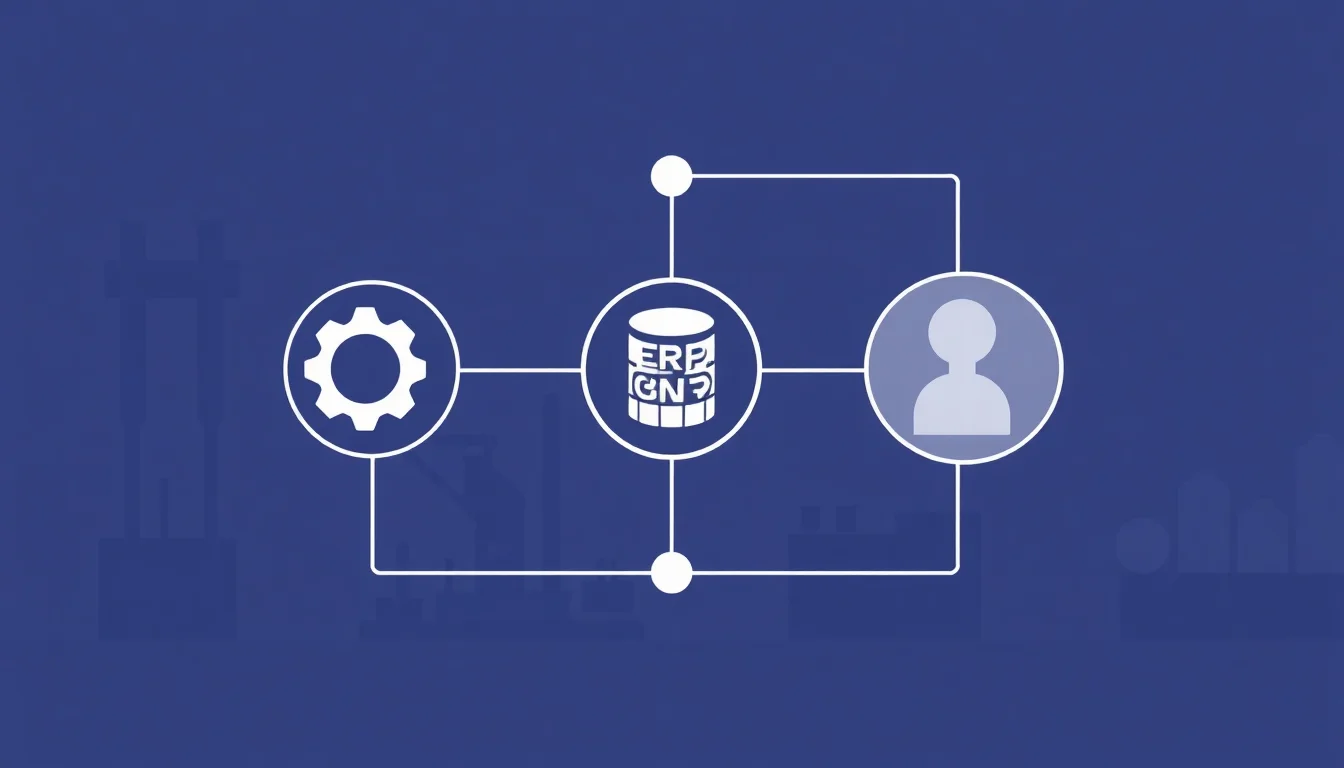
Workforce intelligence fills this gap by acting as an analytical layer on top of your existing stack. It connects people data, including attendance, skill level, task completion, and shift performance data, to the production and financial data already in your systems. Nothing gets replaced. The existing stack gets smarter.
The global workforce analytics market was estimated at US$1.7 Billion in 2024 and is growing at a 15.3% CAGR through 2030 (marketresearch.com). Manufacturers are investing because the cost of labor invisibility is no longer acceptable.
The Structural Difference Between Labor Cost Tracking and Workforce Intelligence
Labor cost tracking answers one question: how much did we spend? Workforce intelligence answers two better ones: what did we get for it, and why?
ERP payroll data shows aggregate hours. Workforce intelligence shows output per operator, per shift, per line. That granularity enables true labor cost per unit analysis, something that aggregate data simply cannot produce. Without it, finance and operations are speaking entirely different languages when reviewing labor spend.
For beauty contract manufacturers and 3PLs managing fluctuating demand, this translation failure is especially costly. During peak seasons, when temp labor quality is inconsistent and margin pressure is highest, the absence of shift-level performance data means staffing decisions are reactive rather than strategic.
How the Workforce Blind Spot Compounds Across Shifts and Facilities
Disconnected systems between staffing vendors, the production floor, and finance make multi-shift or multi-site comparison nearly impossible. Performance variability between temp and direct workers disappears inside aggregate ERP data, masking the true cost of low-performing labor pools.
For 3PL labor management, the consequences are concrete. When you cannot right-size labor in real time because workforce data is siloed, the result is chronic overstaffing during slow periods and missed SLAs during surges. Both outcomes are directly traceable to missing workforce visibility.
Modern ERP platforms increasingly offer AI and ML capabilities for workforce planning, but those capabilities are only as useful as the data flowing into them. Connecting structured, clean workforce performance data to an ERP's planning modules is what activates those features in practice.
Pre-Integration Assessment: What to Audit Before Connecting Any New System
Before any technical integration begins, audit three data layers: what your MES currently outputs, what your ERP currently stores, and where workforce data currently lives. That third category is often the messiest. Timekeeping systems, spreadsheets, and staffing agency portals each hold fragments of a workforce picture that no single system has assembled.
Data quality deserves an honest assessment. Fragmented, inconsistent, or incomplete data will degrade any workforce intelligence deployment. Cleaning data upstream is faster and cheaper than fixing it inside a new platform. This is a lesson most manufacturers learn once.
Legacy system challenges are real and often underestimated. A facility running an older MES without a native API layer, for example, may need to export structured CSV files as a bridge while a more permanent integration is scoped. The data latency is higher, but the implementation risk is substantially lower than attempting a forced API connection to a system not designed for it. Acknowledge the constraint, design around it, and plan to upgrade the connection later.
Mapping Your Current Data Architecture for Workforce Variables
Document every system that touches labor data: time and attendance tools, scheduling platforms, staffing agency portals, MES work order assignment modules, and ERP payroll modules. Flag every place where the same data element, such as employee ID or shift start time, exists in multiple systems with inconsistent formats. This is the most common integration failure point, and it is almost always present.
Prioritize systems with existing API or webhook capabilities. They minimize custom development and reduce implementation risk significantly. A hybrid architecture is common in mid-market manufacturing: real-time API connections for production output industry research, and batch file transfers for payroll and scheduling industry research
Defining the Minimum Viable Workforce Data Set for Your First Integration Phase
Start with three to five metrics that directly influence production cost decisions: units per labor hour, attendance vs. scheduled headcount, and output variance by shift. Resist the temptation to connect every available data point in phase one. Complexity is the primary driver of poor adoption, and poor adoption is the primary reason workforce analytics integrations fail.
The platforms work. The organizational change management does not. Scoping phase one to a minimum viable data set is the single most effective way to prevent this outcome.
The Integration Architecture: Connecting Workforce Intelligence Without Replacing Existing Systems
The most operationally safe integration model uses a middleware or API-layer approach. The workforce intelligence platform reads and enriches industry research This design principle is non-negotiable for production environments where system stability is paramount.
API-first integration delivers real-time or near-real-time workforce data. It is preferable for operations requiring live shift visibility and same-day decision-making on staffing levels or line assignments. File-based integration, using CSV exports or SFTP transfers, is a viable starting point for facilities with older MES or ERP systems lacking modern API layers. The data latency is higher, but the implementation risk is lower. Both are legitimate paths. The choice depends on your stack's actual capabilities, not aspirational architecture.
Cloud and hybrid deployment setups are the recommended starting approach for mid-market manufacturers. Cloud-based workforce intelligence platforms with low-code integration tools can be configured by operations teams without deep technical involvement, which matters significantly in facilities where IT resources are shared across multiple priorities. On-premise deployments offer greater control but require substantially more IT capacity to implement and maintain.
API-First vs. File-Based Integration: Choosing the Right Approach for Your Stack
Here is a practical distinction. API-first integration gives supervisors a live dashboard that updates through the shift. File-based integration gives finance a next-morning report. Both are improvements over no integration at all. The right choice depends on which decisions need to happen in real time and which can tolerate overnight latency.
A hybrid approach is common and often optimal. Pull production output industry research Pull payroll and scheduling industry research This architecture reduces custom development cost while delivering the live operational data that drives same-shift decisions.
Building the Unified Labor Data Model That Connects MES Output to Workforce Cost
The core of any workforce intelligence integration is a unified data model that links a common key, typically employee ID combined with work order or production line, across MES, ERP, and timekeeping systems. At Elements Connect, we have architected this unified data model across hundreds of manufacturing deployments, and it consistently becomes the foundation that makes real-time labor cost per unit analysis possible. Once that model exists, labor cost per unit, efficiency by operator, and productivity by shift become calculable in real time rather than reconstructed manually after the fact.
This model also enables something that most manufacturers have never had: staffing agency performance comparison on equal terms. At Elements Connect, we have seen plant managers access for the first time clear data showing whether Agency A's workers consistently outperform Agency B's workers on the same line, during the same shift, on the same task type. At Elements Connect, we have seen plant managers access for the first time clear data showing whether Agency A's workers consistently outperform Agency B's workers on the same line, during the same shift, on the same task type. That comparison is only possible when a unified data model exists.
Phased Rollout Strategy: How to Go Live Without Stopping Production
Phase one should be a single-line or single-shift pilot with no workflow changes for operators or supervisors. The goal is to validate data connectivity and surface initial insights before scaling. Nothing changes on the floor yet. Data flows. Insights appear. Trust builds.
Timing matters. Schedule the pilot during a stable production period, not peak season and not during a new product launch. For beauty contract manufacturing operations, avoid scheduling near major retail replenishment cycles when any disruption to throughput carries disproportionate cost.
Phase two expands to additional lines or shifts using the validated data model and integration architecture from phase one. The incremental IT work is minimal because the architecture is already proven. Phase three connects workforce intelligence outputs to operational workflows: scheduling decisions, staffing agency performance reviews, Kaizen workforce optimization cycles, and labor cost reporting to finance or clients.
The full phased rollout, from pilot to enterprise deployment, typically spans 60–120 days for mid-market manufacturers using a modern workforce intelligence platform with pre-built connectors.
Choosing the Right Pilot: Criteria for Selecting Your First Line or Shift
Select a line or shift with stable production volume, willing supervisory staff, and reasonably clean existing data. Avoid the most complex or highest-stakes operation for phase one.
A good pilot has enough workforce variability to surface meaningful insights quickly. Mixed direct and temp workers, multiple shifts, or a line where output variance is already suspected but unexplained are all strong indicators. Define two or three specific questions the pilot must answer. For example: do temp workers from Staffing Agency X underperform direct workers on Line 3 during the second shift? Success criteria must be objective.
Managing Change on the Production Floor During and After Integration
Floor-level resistance to new systems is almost always rooted in fear of surveillance, not technology aversion. Address this directly and early. Frame workforce intelligence as a performance support tool that helps supervisors make the case for their team's resource needs, not a monitoring system that generates disciplinary data.
Train supervisors before operators. When leads understand the data and can use it to advocate for scheduling changes or better equipment placement, they become integration champions. When they feel bypassed by a system that reports above their heads, they become obstacles.
Celebrate early data wins visibly. If the pilot reveals that a scheduling adjustment on one shift reduces labor cost per unit, share that result with the entire facility. Momentum for phase two depends on visible proof that the data delivers value at the floor level, not just in the boardroom.
Retention forecasting is an underused capability of integrated workforce intelligence. By correlating shift performance data, attendance patterns, and task assignment history, workforce intelligence platforms can flag workers at elevated attrition risk before they leave. Manufacturing turnover is a persistent and costly problem, and early identification of at-risk workers creates intervention opportunities that aggregate HR systems simply cannot provide.
Measuring Integration Success: KPIs, ROI Timelines, and Continuous Improvement Loops
Define integration success metrics before go-live across three dimensions: data quality (are the right metrics available, accurate, and timely?), operational impact (are decisions changing based on the data?), and financial outcome (is labor cost per unit declining?).
Early ROI indicators typically appear within the first 30–60 days: reduction in unplanned overtime, improved labor utilization rate, and faster identification of underperforming lines or shifts.
For staffing agencies using workforce intelligence to serve manufacturing clients, the ROI proof point is client retention. In our experience, manufacturers are willing to expand workforce intelligence deployments across multiple facilities when they see clear, quantifiable proof that integrated labor data drives measurable improvements in both productivity and worker retention. Hard performance data demonstrating worker quality and productivity becomes a differentiated value proposition. The workforce analytics solutions segment alone is expected to record a 14.8% CAGR through 2030 (marketresearch.com), a clear signal that manufacturers are prioritizing this capability.
The Core Workforce Intelligence KPI Dashboard for MES and ERP-Integrated Environments
Essential KPIs post-integration: labor cost per unit produced, OLE benchmarks by line, output per operator per shift, labor utilization rate vs. scheduled headcount, and variance between direct and temp worker productivity. These five metrics form the minimum viable dashboard for any production environment.
Secondary KPIs become accessible as the integration matures: time-to-productivity for new or temp workers, skill-based output variance, and staffing performance metrics comparing agencies across the same line and task type. Track only KPIs that connect directly to a scheduling, staffing, or process decision your team is actually empowered to make. Vanity metrics consume attention without driving action.
Using Workforce Intelligence Data to Drive Kaizen and Continuous Improvement Cycles
Workforce intelligence data replaces anecdotal evidence in continuous improvement reviews with specific, reproducible observations. Consider a concrete scenario: a beauty contract manufacturer running a fill-and-label line discovers through integrated shift performance data that output drops consistently in the third hour of the second shift, and only among temp workers from one staffing pool. Without integrated data, that observation would take weeks of manual tracking to confirm. With it, the Kaizen event has a focused hypothesis on day one.
This specificity makes continuous improvement manufacturing work more targeted and measurable. Teams can isolate whether a problem is ergonomic, scheduling-related, skill-based, or supervisory rather than treating all labor inefficiency as a single undifferentiated problem. Quarterly OLE trend analysis, enabled by integrated workforce data, gives operations leaders a longitudinal view of whether workforce optimization efforts are compounding or plateauing. Results speak louder. The data makes them visible.
Frequently Asked Questions
Will integrating a workforce intelligence platform require us to replace or significantly modify our existing MES or ERP systems?
No replacement is required. Workforce intelligence platforms use a middleware or API-layer approach that reads data from your existing MES and ERP without modifying those systems. Pre-built connectors for platforms like SAP, Oracle, Plex, and NetSuite mean most integrations require minimal custom development and no changes to production system configurations.
How long does it typically take to integrate workforce intelligence into an existing manufacturing tech stack without disrupting production?
Most mid-market manufacturers achieve live data connectivity within 30–60 days using a phased pilot approach. Full enterprise deployment, expanding from a single-line pilot to multi-facility coverage, typically spans 60–120 days. Facilities with older legacy systems lacking API layers may extend the timeline by 30–45 days due to file-based integration requirements.
Our labor data is inconsistent across systems—can workforce intelligence platforms work with messy or siloed data?
Yes, but data quality directly affects insight quality. A pre-integration audit should identify inconsistencies in shared data elements like employee IDs and shift times across systems. Most platforms handle normalization, but cleaning obvious errors upstream accelerates time-to-insight. Starting with a minimum viable data set in phase one reduces the impact of upstream data inconsistencies significantly.
We already track labor hours in our ERP. What does workforce intelligence add that our current system doesn't already provide?
ERP labor tracking answers how much you spent. Workforce intelligence answers what you received for that spend and why performance varied. It connects labor hours to production output, enabling labor cost per unit, output per operator, and OLE calculations that aggregate ERP data cannot produce. That granularity drives scheduling, staffing, and continuous improvement decisions your current system cannot support.
How do we get buy-in from floor supervisors and operators who may see workforce data tracking as surveillance?
Address the surveillance concern directly and early. Frame workforce intelligence as a tool that helps supervisors make the case for better resources, scheduling, and support for their teams. Train supervisors before operators so leads become advocates rather than skeptics. Sharing early data wins that result in positive changes, like reduced overtime or better shift assignments, builds floor-level trust rapidly.
Can workforce intelligence integrate with staffing agency management systems to compare temp worker performance against direct labor?
Yes. Once a unified labor data model links employee ID to work order and production line, the platform can segment performance by worker type, staffing agency, and shift. Plant managers can compare Agency A workers against Agency B workers on identical tasks, giving operations leaders objective data for agency performance reviews, contract negotiations, and staffing strategy decisions.
What is a realistic ROI timeline for a workforce intelligence integration in a mid-size contract manufacturing facility?
Early indicators, including reduced unplanned overtime and improved labor utilization rates, typically appear within the first 30–60 days. Labor cost per unit reductions of 10–25% generally materialize over 90–180 days as scheduling optimization, staffing agency performance management, and Kaizen-driven process changes compound. Facilities with high temp labor variability tend to see the fastest measurable returns.
How do beauty contract manufacturers and 3PLs handle workforce intelligence during peak production seasons when any disruption is especially costly?
The standard approach is to complete the pilot and validate the integration architecture before peak season begins. Deployments should be scheduled during stable production windows specifically to avoid retail replenishment cycles or high-volume periods. Once the system is live and stable, it actually provides the most value during peaks, when real-time labor utilization data enables faster response to staffing gaps and output variances.